Researched by
This page sums up research into Avery labels; it is not a hands-on test by this site. Last checked: October 26, 2026.
Avery is the label brand whose template numbers, like 5160 for address labels, are built into Microsoft Word and many label apps. Based in Brea, California, it has been owned by CCL Industries since 2013. This Avery labels review covers blank sheet labels, custom printing and the free Design & Print tool, for anyone printing labels at home or for a small business.
Avery at a glance
| Question | Short answer |
|---|---|
| What it sells | Blank sheet labels, custom printed labels, stickers, cards and pouches, plus dividers and name badges |
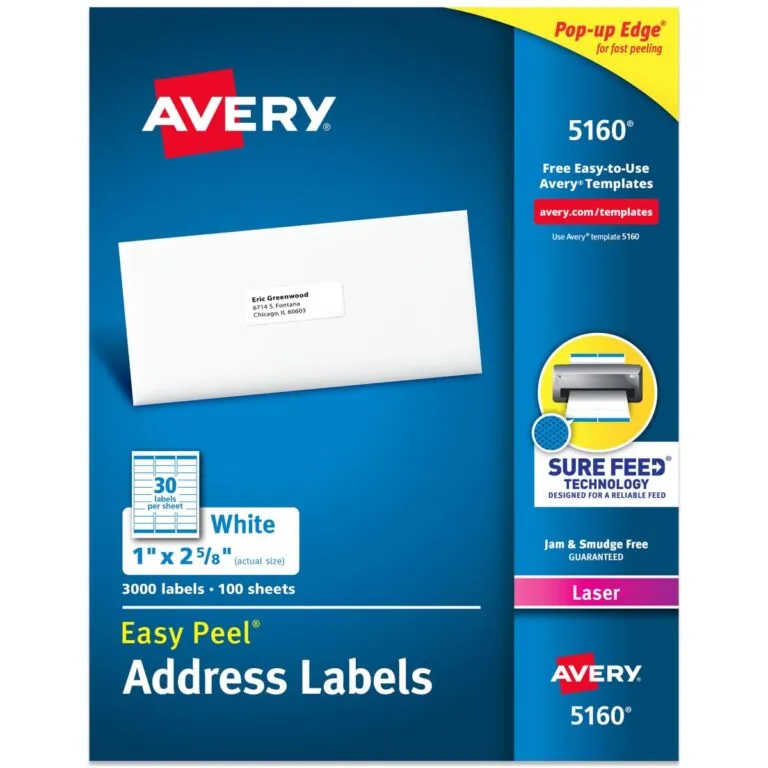
| Best-known product | 5160 Easy Peel address labels, 30 per sheet, 1 x 2-5/8 in |
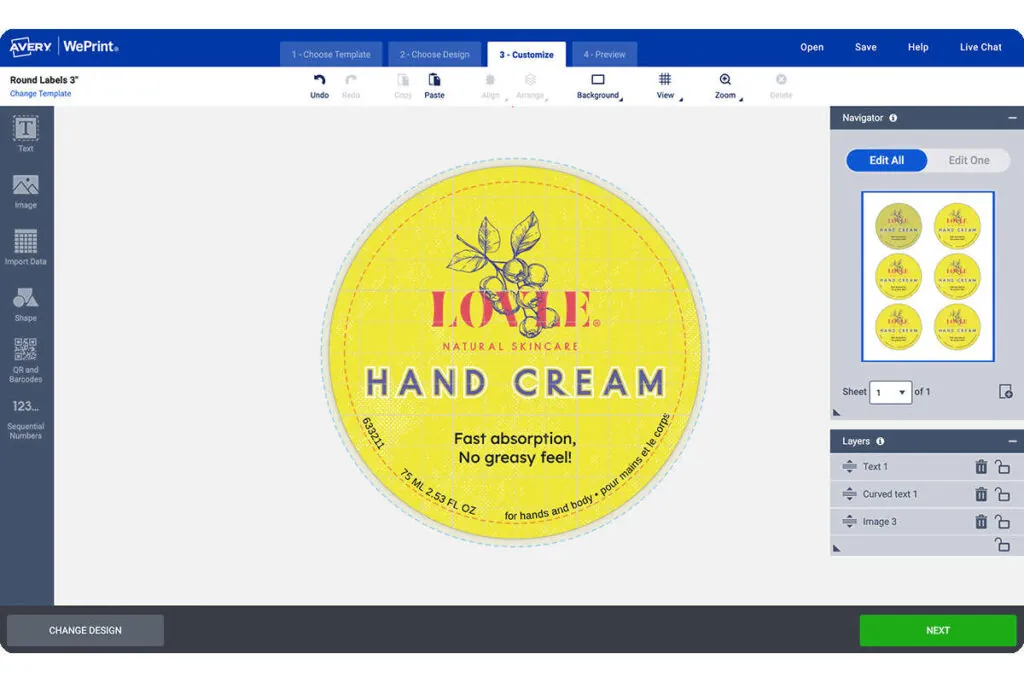
| Design software | Design & Print: free, browser-based, with mail merge and barcodes |
| Owner | CCL Industries, which bought Avery’s office products unit from Avery Dennison in 2013 (PFFC) |
| Store rating | Trustpilot: 4.8/5 from 538 reviews (October 26, 2026) |
| Returns | 90 days from delivery for avery.com orders |
Avery labels review in short
Research score: 7.8 / 10
Avery’s best-selling 5160 labels average 4.78 out of 5 from 3,734 Staples reviews, and its templates work in Word and its free design tool. It loses points because each blank sheet suits only laser or only inkjet printers, alignment problems recur on printer forums and no independent lab has tested the labels.
Researched from public evidence, not hands-on testing. Store and service problems are rated separately as the store risk. How scores work
Blank sheet labels
Blank labels are the core of the range: address, shipping, file folder, round and specialty labels, each with a template number. Many sizes come in pairs that share a template but not a printer type. The 5160 and 8160 are both 1 x 2-5/8 inches, yet 5160 is for laser printers and 8160 for inkjet.
Most Avery address sheets have Sure Feed, a strip Avery says reduces jams and misalignment, and Easy Peel edges that lift when you bend the sheet. Our Avery 5160 labels review looks at how the laser and inkjet versions compare.
Custom printing
If you would rather not print yourself, Avery prints sheet labels, roll labels, stickers, cards and pouches to order, with no minimum order. A May 2026 comparison by The Print Reviewer rated Avery’s finish more polished than OnlineLabels, a rival seller. It found Avery less flexible for frequent small batches, and roll labels need a proof before printing.
Avery Design & Print
Design & Print is a free web tool for every Avery template. It handles text, images, mail merge from a spreadsheet, barcodes and QR codes, and it saves projects to an account. Avery notes that mail merge does not work for its table-of-contents dividers.
Trustpilot reviewers mostly praise it, though a few say site updates changed available fonts or made multi-page files harder to edit.
Shipping, returns and support
Avery accepts returns within 90 days of delivery under its satisfaction guarantee, though terms vary by product and where you bought it. Labels from Staples, Amazon or other stores go back to that store. Phone and chat support run weekdays from 6 a.m. to 5 p.m. Pacific, and orders above a set total ship free.
On Trustpilot, Avery scores 4.8 out of 5 from 538 reviews (read October 26, 2026); 83% are five-star and 11% one-star. Praise centers on print quality and early delivery, and complaints mention tedious proofing and occasional delays. Avery replies to every negative review.
Avery questions
Are Avery 5160 and 8160 labels the same?
Avery 5160 and 8160 labels share the same 1 x 2-5/8 inch size and template. The 5160 works only in laser printers, and the 8160 works only in inkjet printers.
Is Avery Design & Print free?
Yes. Avery Design & Print is free in a web browser, with templates, mail merge and a barcode generator. You need a free Avery account only to save projects and reopen them later.
Why do my Avery labels print out of line?
Avery says misaligned labels usually come from the wrong template, page scaling or loading direction. Print at 100% or Actual Size, never Fit to Page, and test on plain paper first.
How the scores add up
Avery Labels has 1 scored review on this site (7.8/10), so the brand score is that score. A high brand score means the products held up on the evidence I could find; store and service problems (shipping, refunds, billing, support) do not lower it and show as the store risk at the top of the page. How scores work.
Browse more Tools & Hobbies reviews.
Sources
- Avery 5160 and 8160 product pages, 5160 vs 8160 help article and satisfaction guarantee (read October 26, 2026)
- Avery Design & Print page and label printing guide
- Staples: 5160 ratings (read October 26, 2026)
- Trustpilot: Avery reviews (read October 26, 2026)
- The Print Reviewer: Avery WePrint vs OnlineLabels (May 12, 2026)
- PFFC: CCL Industries buys Avery’s office products unit (2013)
Prices and offers change often, so check the brand’s site for current details.