Researched by
Based on the product listing, the online tutorials and independent reviews read on October 12, 2026; not a hands-on test by this site. Two of the reviews cited used free samples from SunFounder, which they disclosed. Small parts: not for young children without an adult.
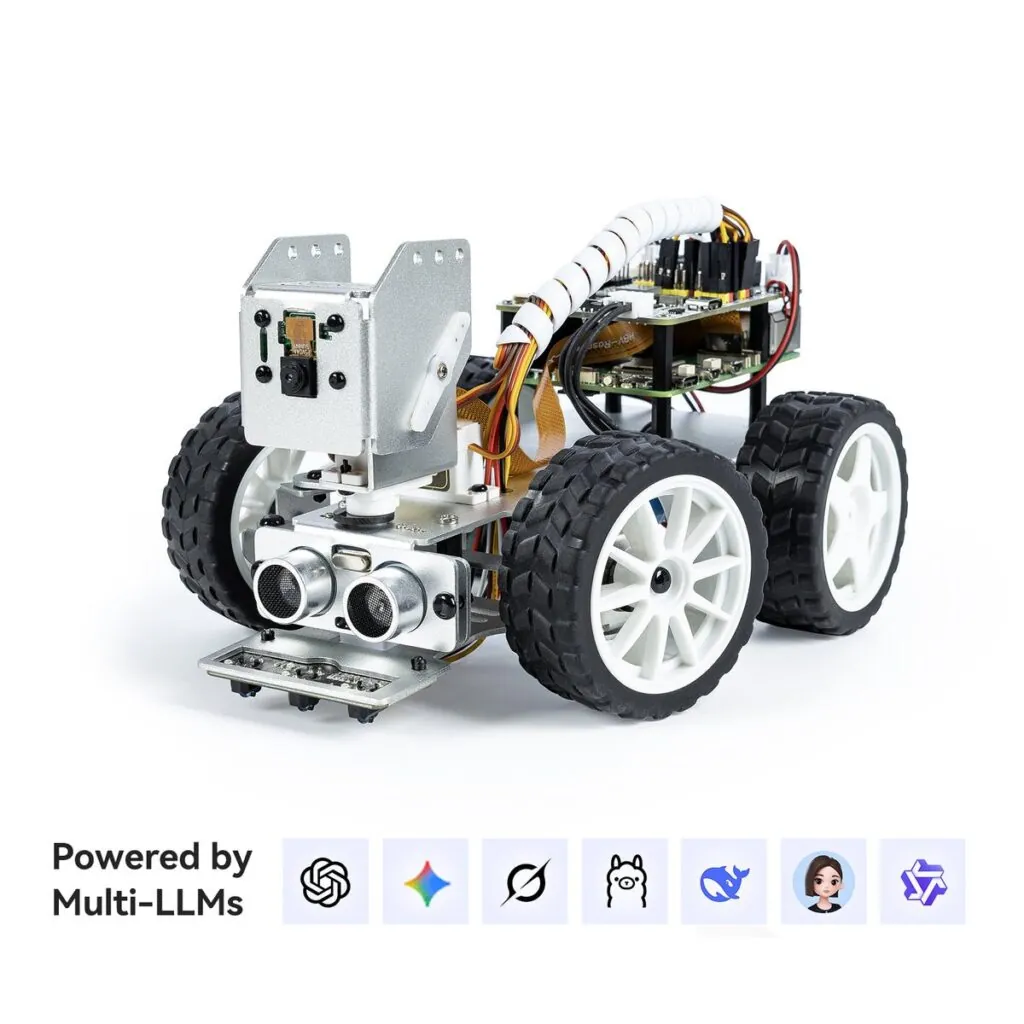
The SunFounder PiCar-X is a Raspberry Pi robot car kit for learning Python, sensors and computer vision. You build a small four-wheel car, add your own Raspberry Pi, and program it to follow lines, avoid obstacles, track colors and faces, and talk. It suits learners who enjoy building, and it frustrates anyone expecting a ready-to-drive car.
SunFounder PiCar-X review: what you are buying
| Part | In the box? | Notes |
|---|---|---|
| Chassis, wheels, 2 rear motors | Yes | Front steering servo, unlike skid-steer kits |
| Camera on pan-tilt servos | Yes | Used for color, face, QR and sign detection |
| Ultrasonic and 3-channel grayscale sensors | Yes | Obstacle avoidance, line following, cliff detection |
| Robot HAT and speaker | Yes | Drives motors and servos; charges the battery over USB-C |
| Battery | Check the listing | CNX Software’s 2.0 sample included one; the older kit RaspberryTips built needed two 18650 cells bought separately |
| Raspberry Pi | No | Pi 5, 4, 3B+ or Zero 2 W; bundles with a Pi and 32 GB card are sold |
| microSD card | No (unless bundled) | For Raspberry Pi OS |
What it teaches
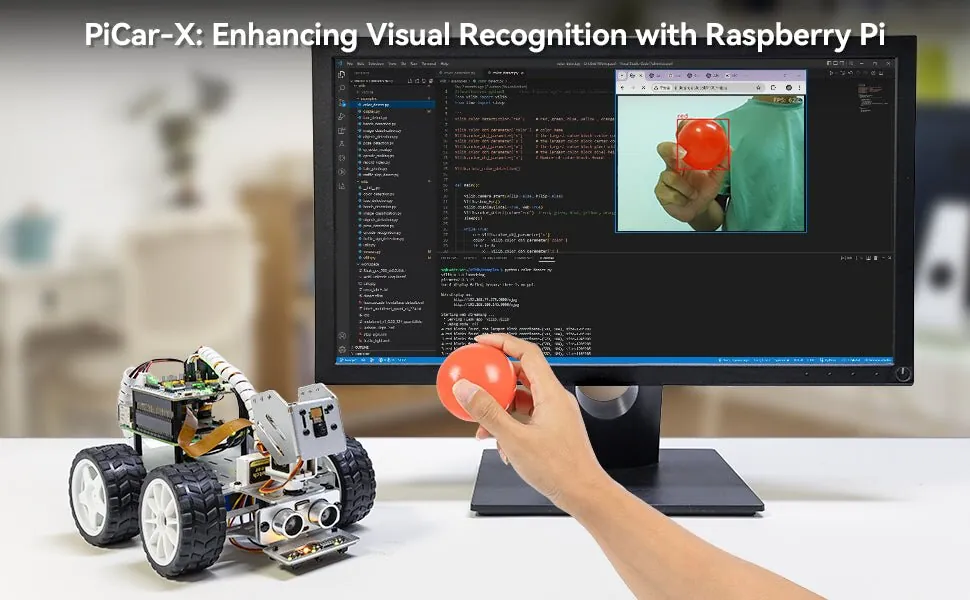
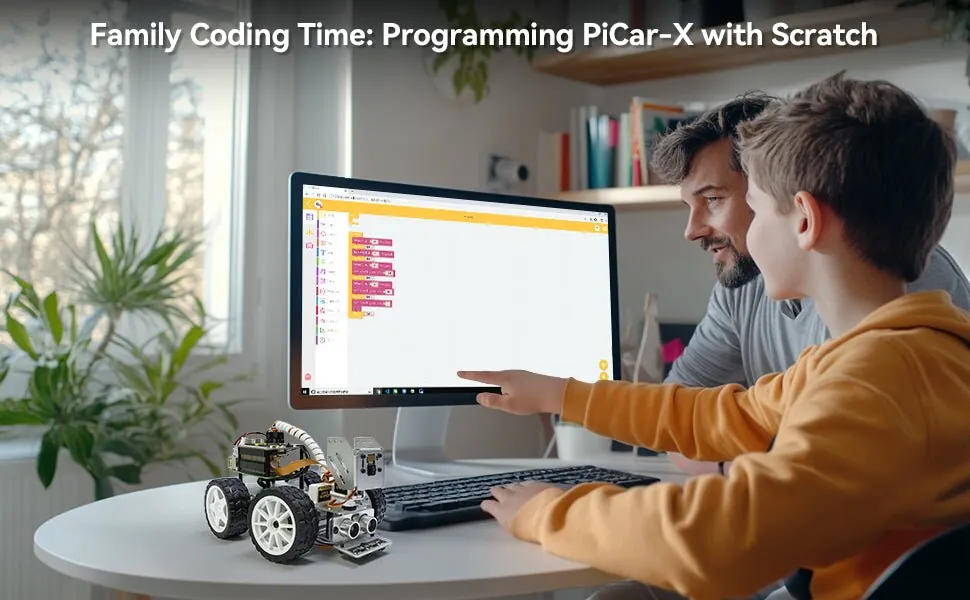
There are two ways to code it: block-based programming (the listing says Scratch; older versions used SunFounder’s EzBlock) and Python with OpenCV for vision. SunFounder lists 15 video tutorials, and its online documentation walks through each sensor and demo. The listing says it suits students aged 10 and up, and it also recommends learning alongside an experienced user. That second line is the more honest one.
The current version adds voice and vision features that connect to large language models, including ChatGPT, Gemini and Grok, and local models through Ollama. Cloud models generally need an account and an API key from that provider, so check the tutorial before promising a child a talking robot.
What reviewers ran into
- Assembly time: RaspberryTips took about three hours with notes and photos, and estimated 1.5 to 2 hours for someone experienced. Tiny camera-servo screws were the hardest step, and mixing up two similar washers broke a rivet.
- Servo zeroing: CNX Software stresses setting each servo to 0° before mounting it, or you risk damaging it.
- Software snags: RaspberryTips found Bluetooth and Wi-Fi connections conflicting at first, and example code that used different pins from the assembly guide. The car could also start moving at boot, because the last script ran automatically.
- Documentation gaps: RaspberryTips listed “lack of documentation for the connection and programming parts” as a con. Those notes apply to an earlier version; the current tutorials have been rewritten for the 2.0 kit.
What worked: obstacle avoidance, steering and camera calibration, text-to-speech, and color and face detection all ran in CNX Software’s tests with both block and Python code.
PiCar-X vs PiDog vs GalaxyRVR
| PiCar-X | PiDog | GalaxyRVR | |
|---|---|---|---|
| Brain | Raspberry Pi (not included) | Raspberry Pi (not included) | Arduino-compatible board |
| Movement | Wheels with front steering | Walking legs | Six-wheel rover |
| Build difficulty | Moderate | Higher (many servos) | Moderate |
| Good first project for | Python and computer vision | Experienced builders | Arduino learners |
Model details are from SunFounder’s store listings on October 12, 2026; difficulty is a judgement from the listings and reviews, not a side-by-side build.
Who should buy it, and who should skip it
Buy it if you want a hands-on way to learn Python, sensors and computer vision, you have a spare Pi, and someone in the house is happy to debug.
Skip it if you want a robot that works straight from the box, or the builder is a younger child working alone. If you mainly want a capable Pi desktop or server, the Pironman 5 case is the better SunFounder buy.
Questions people ask
Which Raspberry Pi do I need for the PiCar-X?
The listing supports the Pi 5, 4, 3B+ and Zero 2 W. A Pi 4 or 5 handles the camera and vision demos more smoothly.
Is the PiCar-X good for a 10-year-old?
With an adult, yes. SunFounder lists the PiCar-X for ages 10 and up but recommends learning with an experienced user. Alone, the small screws, servo zeroing and software troubleshooting are a lot for that age.
Do the AI chat features cost extra?
The kit supports several AI services. Cloud services such as ChatGPT usually need your own account and API key; local models through Ollama do not.
My take and score
Research score: 7.2 / 10 (provisional)
A well-equipped beginner robot with steering, camera, sensors and long tutorials. It loses points for software and documentation snags reported by reviewers, a Raspberry Pi bought separately, and outside reviews mostly based on free samples. Store and service risk is shown separately.
Researched from public evidence, not hands-on testing. Store and service problems are rated separately as the store risk. How scores work
Sources
- RaspberryTips: SunFounder PiCar-X review (free sample)
- CNX Software: PiCar-X 2.0 review (January 11, 2024, free sample)
- SunFounder PiCar-X documentation
- SunFounder PiCar-X product page
- Trustpilot: SunFounder reviews (read October 12, 2026)
- Brand overview: SunFounder on Jensolnar